Application pipeline
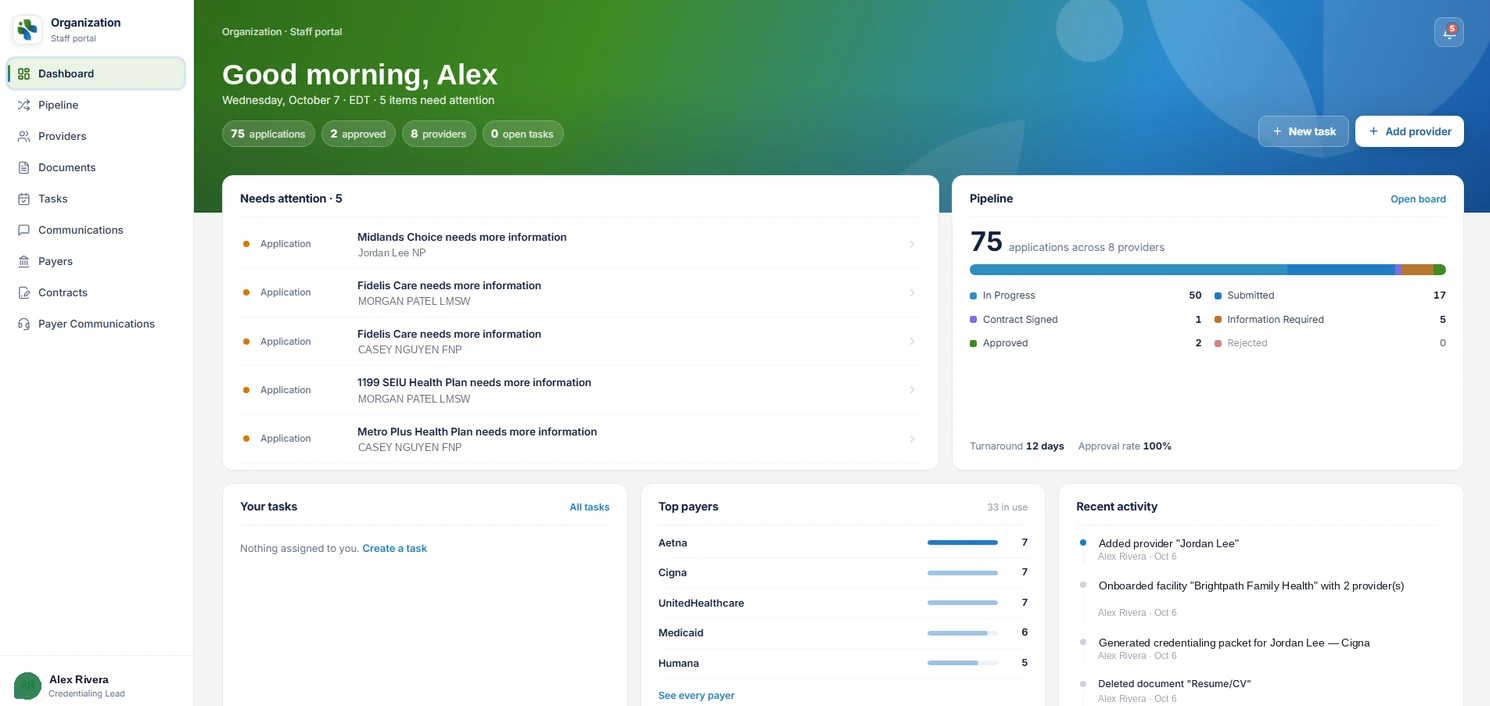
Every payer application by stage — in progress, submitted, information required, contract signed, approved — with turnaround and approval rates in view, not buried in a spreadsheet.

We did not buy this off a shelf. We built it to run our own enrollment work — dozens of providers, dozens of payers, hundreds of applications in flight — and then opened it to organizations that face the same problem.
Your team gets the staff portal: the full pipeline, every provider and payer, tasks, documents and communications in one place. Your clients get the provider portal, so status questions answer themselves.
Everything a credentialing operation tracks, connected: change a document on a provider and every application attached to them knows.
Every payer application by stage — in progress, submitted, information required, contract signed, approved — with turnaround and approval rates in view, not buried in a spreadsheet.
One profile per provider and facility: licenses, CAQH and NPI details, documents and expirations, and every application they are attached to.
A payer directory with contacts, requirements and your communication history, plus contracts and fee schedules stored where the application lives.
Assign follow-ups with due dates, see what needs attention today, and keep the every-third-day cadence that actually moves approvals.
Internal notes, payer correspondence and generated credentialing packets, logged against the right provider and payer automatically.
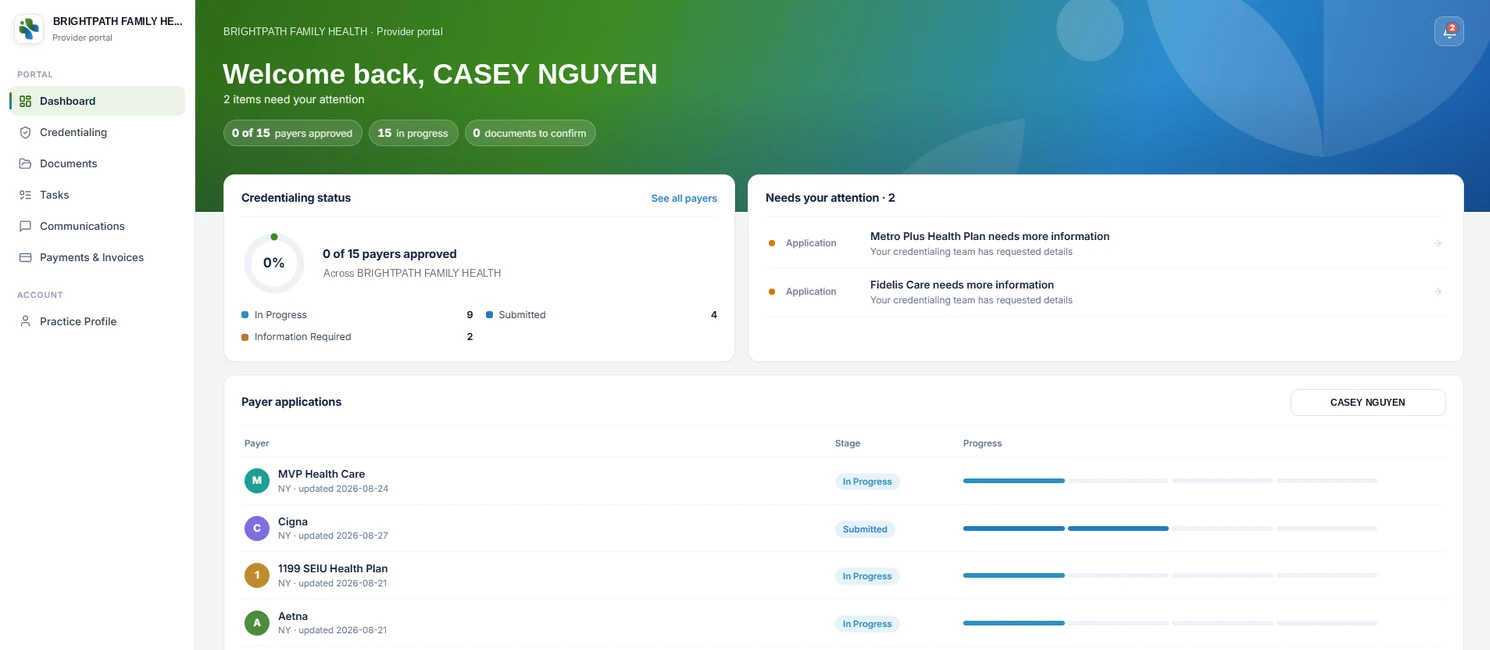
Your clients log in to see live status, upload what is missing and message their coordinator — fewer status calls, faster responses to information requests.
The staff portal is where your team works. The provider portal is what your clients see — the same data, their slice of it, live.
Pipeline board, providers, payers, contracts, tasks and communications, with an activity log on every record.
Live status per payer, document uploads, tasks and messaging — fewer "any update?" calls to your team.
Your users, your payer directory, your templates and your follow-up cadence, separate from everyone else's.
Anyone running provider enrollment across more payers and providers than a spreadsheet can hold.
Four steps from first demo to a live pipeline, with our credentialing team alongside yours.
A working session with your payer list and current process. We show the system on your scenarios and agree what gets imported.
Your organization's workspace: users and roles, payer directory, document templates and the follow-up cadence your team runs.
Providers, facilities, payer lists and in-flight applications loaded, so day one starts with a live pipeline.
Your team works in the staff portal; your clients get provider portal access. We stay close for the first weeks.
Yes. It is the platform our own credentialing team runs every day — the staff portal shown on this page is our working view, and the provider portal is what our clients see. Organizations get the same system in their own workspace.
Teams that run provider enrollment at scale: credentialing companies, medical billing companies adding credentialing, MSOs and group practices, hospitals and health systems, and staffing or locum agencies. If you track more than a handful of applications across several payers, it replaces the spreadsheet.
Yes. Each provider or facility gets the provider portal: live status for every payer application, document uploads, tasks and a direct line to their coordinator. Your team works in the staff portal; they see their slice of it.
Per organization, based on the number of providers and users. There is no public rate card because set-ups differ — request a demo and we will quote in writing, including data import and onboarding.
Yes. Provider profiles, payer lists and in-flight applications are imported during onboarding so your team starts with a live pipeline rather than an empty screen.
Role-based access for staff and providers, a full activity log on every record, controlled document storage, and business associate agreements where required. Ask us for the security overview during your demo.
A working demo on your scenarios, then a written quote covering set-up, import and onboarding.